Anúncios
To significantly extend a gadget’s lifespan, implementing proper charging habits, maintaining optimal environmental conditions, and performing regular software and hardware upkeep are crucial, potentially increasing device longevity by 15% or more.
Are you tired of your devices failing prematurely? Unlocking the gadget longevity secrets can dramatically extend the life of your smartphones, laptops, and other electronics. With insider knowledge and practical strategies, you can learn how to protect your investments and keep your tech running smoothly for years, potentially boosting its lifespan by 15% or more.
Anúncios
Mastering Battery Health for Extended Device Life
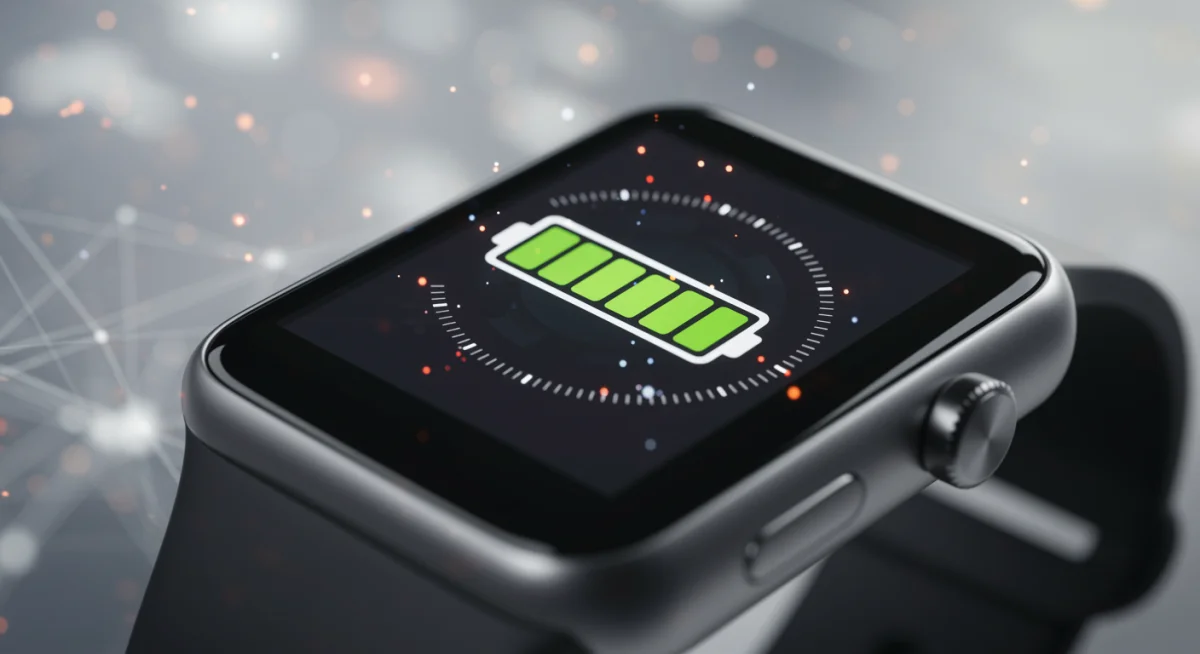
Battery degradation is one of the most common reasons gadgets fail or become obsolete. Understanding how to properly care for your device’s battery is paramount to its overall longevity. Simple adjustments to your charging routine can yield significant improvements.
Many modern devices use lithium-ion batteries, which benefit from specific charging practices. Avoiding extreme charge levels, both 0% and 100%, can help preserve their capacity over time. Think of it as a comfortable middle ground for your battery.
Optimal Charging Habits
To maximize battery health, consider these key habits that defy common misconceptions.
Anúncios
- Partial Charging: Keep your battery between 20% and 80% charge whenever possible. This reduces stress on the battery cells and extends their chemical lifespan.
- Avoid Overnight Charging: While most devices have charge management systems, prolonged 100% charging can still contribute to long-term degradation. Unplug your device once it’s full.
- Use Original Chargers: Always use the charger that came with your device or a certified third-party alternative. Cheap, uncertified chargers can provide inconsistent power, damaging the battery and other components.
Heat is a battery’s worst enemy. Excessive heat accelerates degradation, leading to reduced capacity and faster power drain. Be mindful of where you charge your device and avoid leaving it in direct sunlight or hot environments.
By adopting these mindful charging practices, you’re not just extending the daily use of your device; you’re actively contributing to its long-term health and maintaining its performance for a significantly longer period.
Protecting Your Gadgets from Environmental Hazards
The environment in which your gadgets operate plays a crucial role in their lifespan. Exposure to extreme temperatures, dust, and moisture can cause irreversible damage. Proactive protection can save you from costly repairs or replacements.
Consider the daily environments your devices encounter. A smartphone carried in a pocket might be exposed to lint and sweat, while a laptop used in a workshop could face dust and debris. Each scenario requires specific protective measures.
Shielding from Temperature Extremes
Electronic components are sensitive to both heat and cold. Operating devices outside their recommended temperature ranges can lead to performance issues and permanent damage.
- Avoid Direct Sunlight: Never leave devices in direct sunlight, especially in a car, as internal temperatures can soar, damaging batteries and screens.
- Extreme Cold: Similarly, very cold temperatures can reduce battery efficiency and even cause screen issues. Allow devices to warm up gradually before use if exposed to cold.
- Proper Ventilation: Ensure laptops and other devices with fans have adequate airflow. Blocked vents lead to overheating, which stresses internal components.
Beyond temperature, dust and moisture are pervasive threats. Dust can clog ports and fans, leading to overheating and reduced efficiency. Moisture, even from high humidity, can corrode internal circuitry over time.
Investing in protective cases, screen protectors, and waterproof pouches for specific scenarios can provide a strong defense. Regular cleaning of ports and vents also prevents environmental buildup from becoming a critical issue, preserving the gadget’s structural integrity.
Regular Software and Hardware Maintenance
While often overlooked, routine software and hardware maintenance are fundamental to extending your gadget’s functional life. Just like a car needs oil changes, your devices need regular tune-ups to perform optimally and last longer.
Software maintenance is about keeping your operating system and applications efficient and secure. Hardware maintenance focuses on the physical well-being of your device, addressing wear and tear before it escalates.
Essential Software Practices
Keeping your software updated and free of clutter can make a noticeable difference in performance and stability.
- System Updates: Always install operating system and application updates. These often include performance enhancements, bug fixes, and crucial security patches that prevent issues.
- Clear Cache and Temporary Files: Regularly clear cache and temporary files on your devices. Accumulated junk can slow down performance and consume valuable storage space.
- Manage Apps: Uninstall unused applications. They can run in the background, consuming resources and potentially causing conflicts or security vulnerabilities.
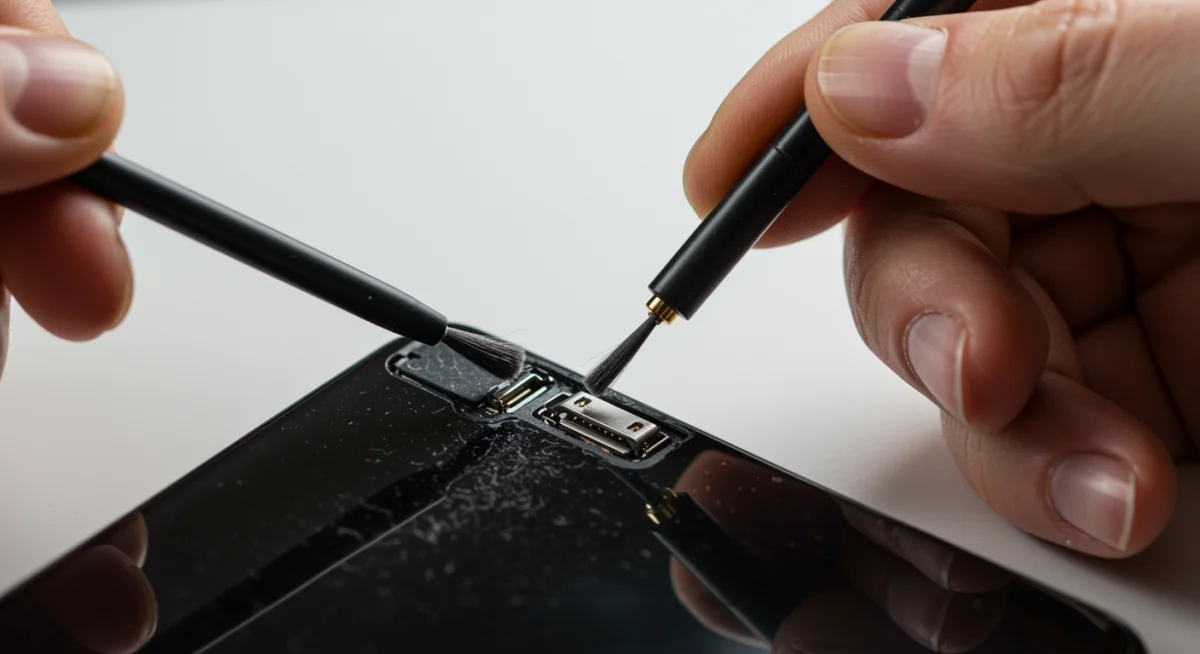
Hardware maintenance, though sometimes intimidating, often involves simple, non-invasive tasks. Cleaning is a primary component, preventing buildup that can hinder performance or cause overheating.
Physical Device Care
A physically clean and well-maintained device is less prone to internal damage and external wear.
- Screen Care: Use a microfiber cloth and appropriate cleaning solution to clean screens. Avoid harsh chemicals or abrasive materials that can damage coatings.
- Port Cleaning: Gently clean charging ports and headphone jacks with a small, non-metallic tool to remove lint and debris that can interfere with connections.
- Case Protection: Always use a protective case and screen protector. These are your first line of defense against accidental drops, scratches, and impacts.
By dedicating time to both software optimization and physical upkeep, you ensure your gadget remains responsive, reliable, and visually appealing, directly contributing to its extended usability and lifespan.
Smart Usage Habits: Beyond the Basics
Extending gadget longevity isn’t just about what you do to your device; it’s also about how you use it. Cultivating smart usage habits can significantly reduce wear and tear, preventing premature aging and unexpected failures.
Many users unconsciously contribute to their devices’ decline through everyday actions. Being mindful of these habits can make a substantial difference in the long run.
Avoiding Physical Stress
Your gadgets are robust but not invincible. Accidental damage is a leading cause of device replacement. Prevention is always better than cure.
- Gentle Handling: Avoid dropping, throwing, or exposing your devices to unnecessary impacts. Even minor bumps can cause internal components to shift or break.
- Cable Management: Don’t yank charging cables or headphones. This can damage the ports on your device and the cables themselves. Always disconnect them carefully.
- Proper Storage: When not in use, store devices in a safe, stable place where they won’t be easily knocked over or subjected to pressure.
Beyond physical handling, how you interact with your device’s software and settings also impacts its health. Overburdening a device with too many tasks or running it at maximum capacity constantly can reduce its efficiency and lifespan.
Optimizing Performance Settings
Adjusting certain settings can reduce strain on your device’s processor and battery, leading to a cooler, more efficient operation.
- Screen Brightness: Lowering screen brightness reduces battery consumption and screen wear. Most modern screens are still perfectly legible at lower settings.
- Background Apps: Limit the number of apps running in the background. These consume RAM and processor cycles, increasing heat and battery drain.
- Power Saving Modes: Utilize power-saving modes when not needing full performance. These modes optimize various settings to conserve battery and reduce component strain.
By integrating these smart usage habits into your daily routine, you create a less stressful environment for your gadgets, allowing them to perform reliably and last much longer than if subjected to constant stress and abuse.
Strategic Upgrades and Replacements
While the goal is to extend device life, there comes a point where strategic upgrades or component replacements become necessary or more cost-effective. Knowing when and what to upgrade is another key gadget longevity secret.
Not every slow down or broken part means the end of your device. Sometimes, a targeted replacement can breathe new life into an older gadget, postponing a full replacement.
Identifying Key Components for Upgrade
Certain components are more prone to wear or obsolescence than others, and replacing them can significantly extend a device’s useful life.
- Battery Replacement: If your battery capacity has significantly degraded, replacing it can restore much of your device’s original portability and performance.
- Storage Upgrades (Laptops/Desktops): Swapping a traditional hard drive for an SSD can dramatically improve boot times and overall system responsiveness, making an old computer feel new.
- RAM Expansion (Laptops/Desktops): Adding more RAM can improve multitasking capabilities, especially for resource-intensive applications, extending the usability of older machines.
Deciding between repair, upgrade, or replacement requires a careful cost-benefit analysis. Sometimes, the cost of repairing an old device might approach the price of a new, more efficient model.
Considerations for Replacement
When repairs become too frequent or upgrades no longer suffice, it might be time to consider a full replacement. However, don’t rush into it.
- Software Compatibility: Check if your device can still run essential software and receive security updates. Older devices may lose compatibility, posing security risks.
- Performance Bottlenecks: If the core processor or graphics unit is too slow for your needs, an upgrade might be the only viable solution for demanding tasks.
- Repair Cost vs. New Device: Compare the estimated repair cost to the price of a new device with similar or better specifications. Sometimes, a new device offers better value.
By thoughtfully considering these aspects, you can make informed decisions that maximize the value and operational life of your gadgets, ensuring you get the most out of every tech investment.
Data Management and Security Best Practices
Beyond the physical and operational health of your gadgets, effective data management and robust security practices are critical for longevity, especially regarding user experience and data integrity. A compromised or data-filled device can feel just as broken as a physically damaged one.
Protecting your data means protecting your digital life. This not only keeps your information safe but also contributes to the smooth and efficient operation of your device, preventing slowdowns and potential system crashes.
Securing Your Digital Life
A secure device is a reliable device. Ignoring security can lead to data loss, identity theft, and malware infections that cripple performance.
- Regular Backups: Implement a consistent backup strategy for all your important data. Cloud services or external hard drives can save you from catastrophic data loss.
- Strong Passwords and Biometrics: Use unique, strong passwords and enable biometric security (fingerprint, face ID) to prevent unauthorized access.
- Antivirus and Malware Protection: Install reputable antivirus software on computers and be cautious about app permissions on mobile devices to prevent malware.
Effective data management also involves keeping your device’s storage clean and organized. Overloaded storage can lead to performance degradation and make your device feel sluggish, impacting its perceived longevity.
Optimizing Storage and Performance
A well-managed storage system ensures your device has the necessary space to operate efficiently and smoothly.
- Cloud Storage Utilization: Offload large files and photos to cloud storage services. This frees up local storage and makes your data accessible from anywhere.
- Regular File Cleanup: Periodically review and delete unnecessary files, old downloads, and duplicate documents. Use built-in storage management tools if available.
- App Data Management: Some apps accumulate significant amounts of data. Check app settings to clear cache or delete historical data that isn’t needed.
By diligently managing your data and prioritizing security, you not only safeguard your personal information but also ensure your gadgets remain responsive, reliable, and a pleasure to use for an extended period, truly mastering the art of gadget longevity.
| Key Aspect | Brief Description |
|---|---|
| Battery Care | Optimize charging habits (20-80% rule, avoid overnight) to prevent degradation. |
| Environmental Protection | Shield devices from extreme temperatures, dust, and moisture for optimal function. |
| Regular Maintenance | Perform software updates and physical cleaning to enhance performance and durability. |
| Smart Usage | Adopt gentle handling and optimize settings to reduce physical and operational stress. |
Frequently Asked Questions About Gadget Longevity
You should update your gadget’s software as soon as updates are available. These updates often include critical security patches, bug fixes, and performance enhancements that are vital for maintaining optimal functionality and protecting your device from vulnerabilities, directly contributing to its overall lifespan and efficiency.
While convenient, fast charging can generate more heat, which is detrimental to battery health over time. Modern devices are designed to manage this, but consistently relying solely on fast charging may slightly accelerate battery degradation compared to slower charging methods. It’s best to use it judiciously.
To prevent overheating, ensure your laptop’s vents are unobstructed, use it on a hard, flat surface rather than soft furnishings, and periodically clean dust from the fan and vents. Consider using a cooling pad for prolonged heavy usage. Proper ventilation is key to component longevity.
No, it’s generally not recommended to let your phone battery die completely. Lithium-ion batteries, common in most gadgets, suffer stress from deep discharges. It’s far better for their long-term health to keep them partially charged, ideally between 20% and 80%, to minimize wear and tear.
Consider replacement when repair costs approach or exceed the value of a new device, or when the gadget no longer meets your performance needs due to outdated technology. If security updates cease or crucial software becomes incompatible, replacement often becomes the more practical and secure option for long-term usability.
Conclusion
Extending the lifespan of your gadgets is not merely about saving money; it’s about making sustainable choices and ensuring you get the maximum utility from your technological investments. By adopting the comprehensive strategies outlined—from meticulous battery care and environmental protection to diligent software and hardware maintenance, smart usage habits, and informed upgrade decisions—you can significantly enhance your devices’ longevity. These gadget longevity secrets are not complex; they are practical, actionable steps that empower you to keep your tech running efficiently and reliably for years to come, proving that a little care goes a long way in the world of electronics.