
Anúncios
Laptop Buying Guide 2026: choose a laptop that matches your primary use—prioritize CPU/GPU and RAM for performance, NVMe SSD and upgradeability for longevity, and screen quality, weight, battery life and tested thermals for reliable daily runtime, balancing features with your budget.
Laptop Buying Guide 2026 helps you cut through specs and hype to find a machine that suits work, study or gaming. Confused by GHz, cores or brand claims? Read on for real examples and a short checklist to make a smarter choice.
Define your needs: work, study or gaming
Laptop Buying Guide 2026 starts with one simple question: what will you actually do with the laptop? Answering that helps you avoid overspend and bad compromises.
Think about daily tasks, where you’ll use the device, and which features truly matter for work, study, or gaming. Short examples help make choices clearer.
Anúncios
Match tasks to hardware
If you edit documents, run spreadsheets, or join video calls, prioritize a reliable CPU and good battery life. For students, weight and screen quality beat raw power most days. Gamers need a strong GPU and good cooling.
Key checks by use
- Work: multi-core CPU, 16GB RAM if you multitask, long battery, comfortable keyboard.
- Study: lightweight build, 8–16GB RAM, easy portability, solid webcam and battery.
- Gaming: discrete GPU, 16GB+ RAM, fast display (120Hz+), strong cooling and power delivery.
Also consider software needs. If your job uses heavy apps like video editors or virtual machines, prioritize CPU cores and RAM. If you mostly browse and write, a mid-range chip and SSD are fine.
Portability matters: a 13–14″ thin laptop is ideal for classes and travel, while a 15–17″ model gives more screen space for gaming or heavy work. Balance size with battery life and weight.
Anúncios
Budget and longevity
Decide how long you want to keep the laptop. If you aim for 4+ years, choose better cooling and a model with upgradeable RAM or storage. For short-term needs, a budget or ultrabook can be smarter.
- Set a realistic budget per use and stick to it.
- Prioritize components that are costly to replace later (CPU, GPU).
- Look for warranty and easy service options if you plan long use.
Think about accessories and extras that fit each need: a docking station for work, an external monitor for study sessions, or a gaming mouse and headset. These can extend value without overbuying the laptop itself.
When comparing models, read real-world battery and thermal tests, not just specs. Watch sample videos or reviews that mirror your typical use to spot real differences.
Final checklist: match your daily tasks, pick the right balance of CPU/GPU/RAM, factor portability, and choose a model you can keep or upgrade.
With those points in mind, you can choose a laptop that fits how you live and work, not just the biggest numbers on a spec sheet.
Key specs explained: CPU, GPU, RAM, storage and battery
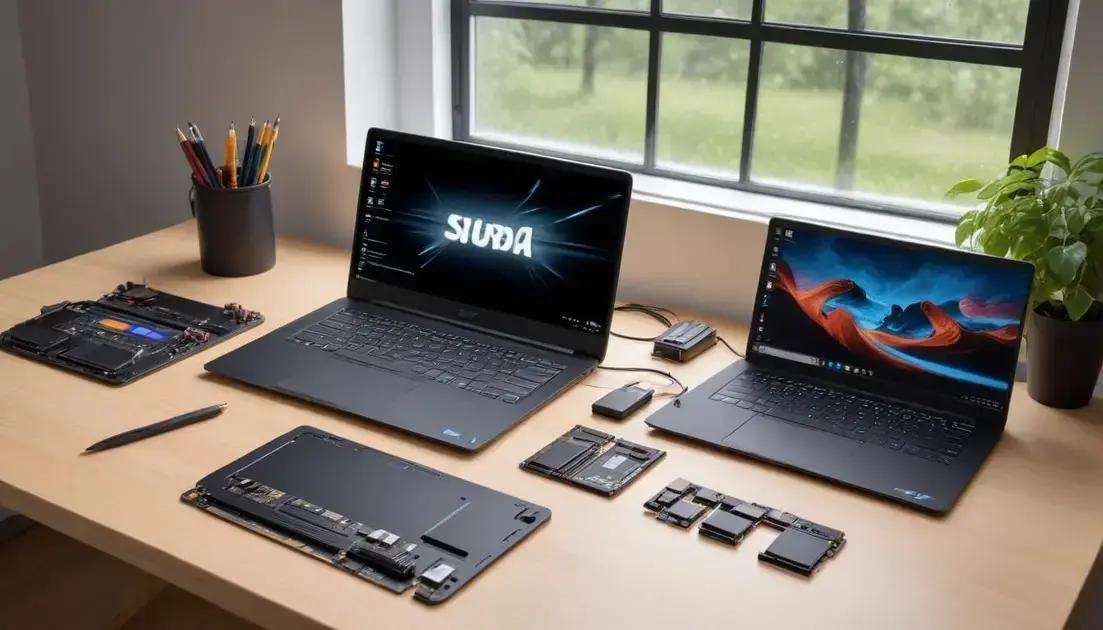
Laptop Buying Guide 2026 explains the core parts that drive performance: CPU, GPU, RAM, storage, and battery. Know what each part does and you pick a better laptop.
This section shows simple rules and quick numbers to match specs to real use: work, study, or gaming.
CPU: what to check
The CPU handles day-to-day tasks and heavy apps. Look at cores, clock speed, and efficiency.
For web browsing and documents, a 2–4 core chip is fine. For content creation or coding, prefer 6–8 cores or a fast high-performance mobile chip.
GPU: integrated vs discrete
The GPU renders images and runs games. Integrated GPUs save battery and cost less. Discrete GPUs boost gaming and creative work.
- Integrated: good for video calls, light photo edits, and streaming.
- Entry discrete: plays esports and older titles at medium settings.
- High-end discrete: best for AAA gaming, 3D work, and ray-tracing.
RAM affects multitasking. Aim for at least 8GB for basic use, 16GB for smooth multitasking and modern games, and 32GB for heavy editing or virtual machines.
Storage determines speed and space. Choose an SSD, preferably NVMe, for fast boot and app load times. A 256–512GB SSD fits many users; 1TB is safer if you store large files.
Check if the laptop allows upgrades. Replaceable M.2 drives and user-accessible RAM extend a laptop’s useful life.
Battery and real-world runtime
Battery capacity is listed in Wh, but real runtime depends on screen, CPU, and tasks. Thin ultrabooks often last longer in light use. Gaming laptops drain faster under load.
- Look for tested runtime numbers, not just capacity.
- Lower-power displays and efficiency-focused chips give better daylight use.
- Fast charging is useful when you need a quick top-up between classes or meetings.
Balance these specs based on your main tasks. Gamers favor a strong GPU and cooling; students and commuters prioritize weight, battery, and a clear screen; professionals may pick CPU power, RAM, and ports.
Quick rules: match cores and clock to your apps, pick GPU by gaming or creative needs, choose RAM for multitasking, prefer NVMe SSDs for speed, and check real battery tests before you buy.
Budget tiers and value: how much to spend by use
Laptop Buying Guide 2026 helps you decide how much to spend based on real needs. A clear budget stops you from paying for power you won’t use.
Below are practical tiers and quick tips to match price to work, study, or gaming needs.
Budget tier: under $500
This tier fits basic tasks: web, email, video calls, and simple documents. Expect lighter builds and modest performance.
Mid-range: $500–$1,000
Mid-range models balance speed and portability. You get better screens, SSDs, and smoother multitasking for most users.
- For students: mid-range gives battery life and portability without high cost.
- For casual work: mid-range handles spreadsheets, remote meetings, and light editing.
- For light gaming: look for entry discrete GPUs or fast integrated graphics.
High-end gaming and pro work usually sit above $1,000. These laptops offer discrete GPUs, stronger cooling, and higher refresh displays. They also weigh more and use more battery under load.
Consider how long you plan to keep the laptop. If you want 3–4 years, lean toward a stronger CPU and 16GB of RAM now rather than upgrading later.
Finding the best value
Value means the right parts for your tasks, not the highest specs. Prioritize the components that matter most to your use.
- Choose a better CPU over a bigger screen if you run heavy apps.
- Pick an NVMe SSD for speed before increasing storage size.
- Opt for 16GB RAM if you multitask daily or use creative tools.
Look for deals on last year’s models; they often give near-top performance at lower cost. Certified refurbished units can also offer strong savings with warranty.
Quick guide: under $500 for basic needs, $500–$1,000 for most students and workers, and $1,000+ for gaming or pro creative work. Match features to your daily tasks to get true value.
Practical tips and a simple buying checklist for 2026 models
Laptop Buying Guide 2026 gives clear, practical tips to help you buy a laptop that fits real life. Use a short checklist to compare models fast.
Focus on what you do daily—work, study, or gaming—and pick features that matter most for those tasks.
Quick checks before you commit
Start with a few fast tests: feel the keyboard, check weight, and inspect ports. These small checks save time later.
- Match CPU/GPU levels to your main apps.
- Confirm the screen size and resolution fit your use.
- Check battery life claims against real tests or reviews.
- Look for NVMe SSD and upgradeable RAM if you want longevity.
Read hands-on reviews that test battery, thermals, and display color. Specs tell part of the story; real tests show how a laptop behaves under load. Watch videos or read reviews that mirror your daily tasks.
Try to see the laptop in person when possible. A store visit helps you judge keyboard comfort, trackpad feel, and screen brightness. If you buy online, verify the return policy and warranty.
Simple 2026 buying checklist
Use this checklist as a quick filter when comparing models. Score each item to find the best fit.
- CPU: cores and single-core speed for your apps.
- GPU: integrated for casual use, discrete for gaming/creative work.
- RAM: 8GB minimum, 16GB recommended for multitasking.
- Storage: NVMe SSD for speed; 512GB+ if you store large files.
- Battery: real-world 6–10+ hours for daily use, less for gaming rigs.
- Ports and expandability: HDMI, USB-C, and easy access to upgrades.
- Cooling and build quality: good airflow for sustained performance.
- Warranty and service options: at least one year and easy repairs.
Consider extras like fast charging, a high-refresh display for gaming, or a matte screen for outdoor use. Balance features against price and how long you plan to keep the laptop.
Final tip: prioritize the parts that are costly to change later—CPU/GPU, RAM, and storage type—and pick a model that matches your main daily tasks. That way you get real value, not just big numbers on a spec sheet.
Choosing the right laptop means matching your daily needs to the parts that matter most. Prioritize the CPU/GPU, RAM, and storage you can’t easily change, check real-world battery and thermal tests, and pick a model that fits your budget and upgrade plans. A short checklist makes comparisons fast and helps you buy with confidence.
FAQ – Laptop Buying Guide 2026
How do I pick between an ultrabook and a gaming laptop?
Match the laptop to your main use: choose an ultrabook for portability and long battery life, a gaming laptop for high GPU power and cooling. Consider weight, screen size, and how often you travel.
How much RAM and storage do I really need?
For basic use, 8GB RAM and 256GB SSD work. For smooth multitasking or gaming, aim for 16GB RAM and 512GB+ NVMe SSD. Prefer models that allow future upgrades.
Should I prioritize battery life or CPU for work and study?
For most students and remote workers, battery life and portability matter most. If you run heavy editing or simulations, prioritize a stronger CPU instead.
Is it better to buy the latest model or last year’s model?
Last year’s models often give better value with similar performance. Buy the latest only if it offers key upgrades you need; always check real-world reviews and warranty.