Mesh Wi-Fi Setup: 20% Faster Speeds in 2,000 Sq Ft
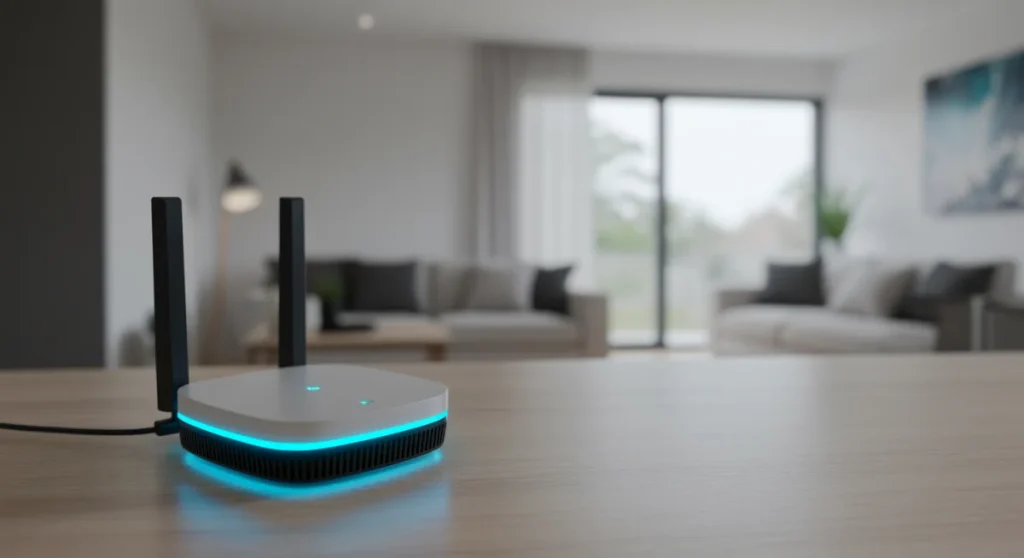
To achieve 20% faster Wi-Fi speeds across a 2,000 sq ft home, strategic placement of mesh nodes, optimizing backhaul connections, and fine-tuning network settings are crucial for seamless and high-performance coverage.
Are you looking to supercharge your home network? Unlocking the full potential of your new mesh Wi-Fi system is key to enjoying lightning-fast speeds and seamless connectivity. This guide provides insider knowledge: configuring your new mesh Wi-Fi system for 20% faster speeds across a 2,000 sq ft home, transforming your internet experience from frustrating to fantastic.
Understanding Mesh Wi-Fi Architecture for Optimal Performance
Before diving into configuration, it’s essential to grasp how mesh Wi-Fi systems fundamentally work. Unlike traditional routers that broadcast from a single point, mesh systems utilize multiple nodes distributed throughout your home, creating a unified network. This distributed approach eliminates dead zones and provides consistent coverage, which is particularly beneficial in larger spaces like a 2,000 sq ft home.
Each node acts as a communication point, intelligently routing traffic to ensure the fastest possible connection for your devices. The efficiency of this routing, known as backhaul, significantly impacts your overall speed. Understanding these core principles will empower you to make informed decisions during setup and optimization.
The Role of Backhaul in Mesh Performance
- Dedicated Wireless Backhaul: Some advanced mesh systems feature a dedicated wireless band (often 5GHz or even 6GHz for Wi-Fi 6E systems) solely for communication between nodes, preventing congestion and maximizing speeds.
- Ethernet Backhaul: For the absolute best performance, connecting mesh nodes via Ethernet cables provides a stable, high-speed connection, bypassing wireless interference entirely and freeing up Wi-Fi bands for client devices.
- Shared Wireless Backhaul: More common in budget-friendly systems, where the same wireless bands are used for both inter-node communication and client device connections. This can lead to reduced speeds if not optimized.
The type of backhaul your system uses directly influences how much speed you can gain. Prioritizing systems with dedicated wireless or, ideally, Ethernet backhaul capabilities is a smart move for performance-driven users. This foundational understanding sets the stage for achieving those coveted 20% faster speeds.
Strategic Placement: The Foundation of Faster Wi-Fi
The physical placement of your mesh Wi-Fi nodes is arguably the most critical factor in achieving optimal speeds and coverage. It’s not just about spreading them out; it’s about intelligent positioning to maximize signal strength and minimize interference across your 2,000 sq ft home. A well-planned layout can make a significant difference in your network’s overall performance.
Think of your home as a canvas where you’re painting a seamless Wi-Fi signal. Each node needs clear lines of sight to other nodes and to the areas where you need the most speed. Avoiding common pitfalls during placement can prevent signal degradation and ensure every corner of your home benefits from strong Wi-Fi.
Optimal Node Distribution in a 2,000 Sq Ft Home
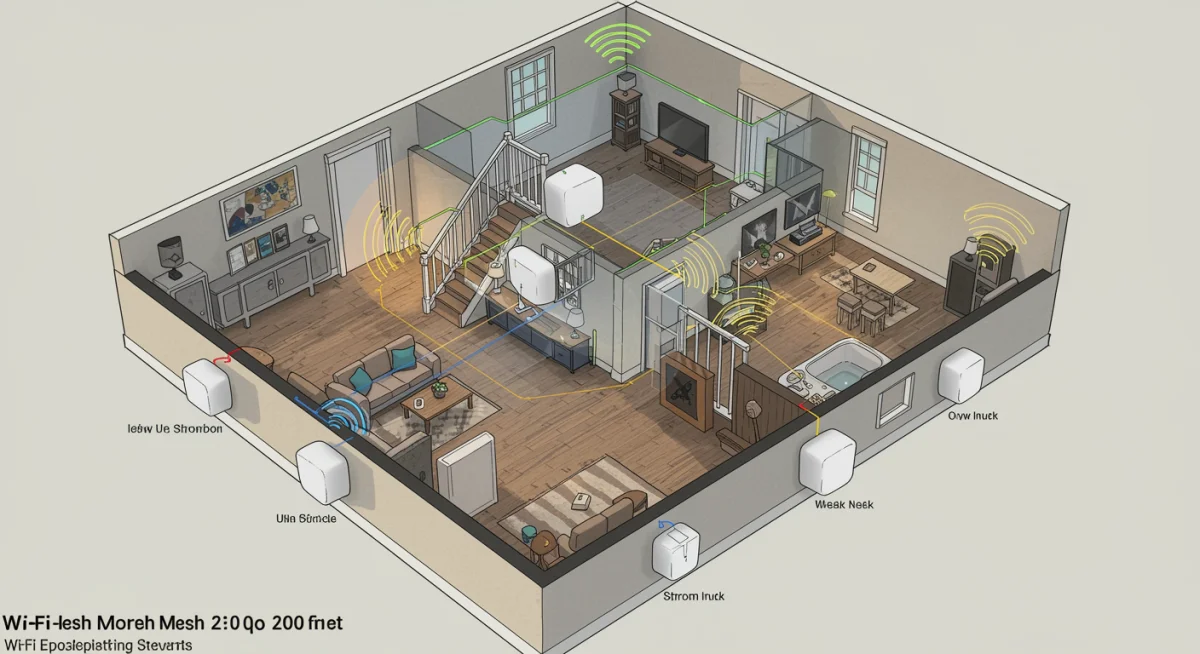
For a 2,000 sq ft residence, a typical mesh system with a main router and two to three satellite nodes usually provides excellent coverage. The goal is to create overlapping signal zones without placing nodes too far apart or too close together.
- Central Hub: Place your primary mesh router (connected to your modem) in a central location, ideally on the main floor. Avoid placing it in a closet or behind large electronics.
- Mid-Point Placement: Position satellite nodes roughly equidistant from the main router and from each other. Imagine drawing an invisible triangle or star shape that covers your entire home.
- Line of Sight: Whenever possible, ensure there’s a clear line of sight between nodes. Walls, especially those with plumbing or electrical wiring, can significantly degrade Wi-Fi signals.
Experimentation is key. While these are general guidelines, every home has unique structural elements that can affect signal propagation. Use your mesh system’s app to check signal strength between nodes after initial placement.
Advanced Configuration Settings for Speed Enhancement
Beyond physical placement, delving into your mesh system’s settings can unlock significant speed improvements. Many mesh systems come with default settings that are good, but not necessarily optimal for every home or usage pattern. Tweaking these can fine-tune your network for peak performance, ensuring you get the most out of your internet plan.
These adjustments often involve balancing coverage with speed and minimizing interference. A thoughtful approach to these settings can give you that extra edge, pushing your Wi-Fi speeds beyond standard expectations. Always remember to make changes one at a time to easily identify the impact of each adjustment.
Fine-Tuning Your Mesh Wi-Fi System
- Channel Optimization: Most mesh systems automatically select Wi-Fi channels, but manual intervention can sometimes yield better results. Use a Wi-Fi analyzer app to identify congested channels in your area and manually select less crowded ones, especially for the 5GHz band.
- Quality of Service (QoS): Prioritize specific devices or applications (e.g., streaming, gaming) through QoS settings. This ensures critical data gets preferential treatment, reducing lag and improving responsiveness for high-bandwidth activities.
- Firmware Updates: Regularly check for and install firmware updates. Manufacturers frequently release updates that improve performance, security, and add new features. This is a simple yet effective way to maintain peak efficiency.
Exploring these advanced settings can transform your mesh network from merely functional to exceptionally fast. Don’t be afraid to experiment, but always document your changes so you can revert if needed. These tweaks are crucial for maximizing your network’s potential.
Minimizing Interference and Maximizing Signal Strength
Even with perfect node placement and optimized settings, external interference can degrade your Wi-Fi performance. Your home is a hub of electronic devices, and many of them operate on frequencies that can clash with your Wi-Fi signals. Identifying and mitigating these sources of interference is a key step in achieving consistently faster speeds across your 2,000 sq ft home.
Understanding what causes interference and how to counteract it is vital. Sometimes, simply relocating a device or changing a setting can make a dramatic difference. This proactive approach ensures your mesh system operates in the cleanest possible environment, allowing it to deliver its best performance.
Common Sources of Wi-Fi Interference
Many household appliances and electronic devices can interfere with your Wi-Fi signal. Microwaves, cordless phones, Bluetooth devices, and even some smart home gadgets operate on similar 2.4GHz frequencies, leading to congestion and slower speeds.
- Physical Obstructions: Thick walls, metal objects, aquariums, and large appliances can block or absorb Wi-Fi signals. Try to place nodes away from these barriers.
- Neighboring Networks: In densely populated areas, your neighbors’ Wi-Fi networks can cause interference. Using a Wi-Fi analyzer to find less congested channels can help.
- Electronic Devices: Keep mesh nodes away from other electronics that emit electromagnetic interference, such as baby monitors, security cameras, and even certain types of lighting.
By actively managing potential sources of interference, you can create a cleaner wireless environment for your mesh system. This translates directly into more stable connections and, ultimately, faster speeds throughout your entire home.
Leveraging Ethernet Backhaul for Unrivaled Speed
While wireless backhaul in mesh systems has improved significantly, nothing beats the reliability and speed of a wired connection. For those serious about achieving the absolute fastest speeds and lowest latency, especially in a 2,000 sq ft home with multiple high-bandwidth users, implementing Ethernet backhaul is a game-changer. This approach dedicates the wireless spectrum entirely to your devices, rather than inter-node communication.
Consider Ethernet backhaul as the express lane for your mesh network. It bypasses all the potential wireless interference and bandwidth sharing, providing a rock-solid foundation for your entire Wi-Fi system. While it requires some initial setup, the performance benefits are substantial and long-lasting.
Implementing a Wired Backhaul Solution
The process of setting up Ethernet backhaul is relatively straightforward, provided your home is already wired for Ethernet or you’re willing to invest in running cables. Most modern mesh systems support this feature, often detecting the wired connection automatically.
- Check Compatibility: Ensure your mesh system supports Ethernet backhaul. Most tri-band and higher-end dual-band systems do.
- Cable Quality: Use high-quality Ethernet cables (Cat5e or Cat6) for reliable, high-speed connections between your main router and satellite nodes.
- Network Switch: If you have more nodes than available Ethernet ports on your main router, a simple unmanaged Gigabit Ethernet switch can expand your connectivity.
Once connected via Ethernet, your mesh nodes will typically prioritize the wired connection for backhaul, leading to a noticeable improvement in overall network speed and stability. This is particularly effective for demanding tasks like 4K streaming, online gaming, and large file transfers across your home.
Regular Maintenance and Monitoring for Sustained Performance
Setting up your mesh Wi-Fi system for optimal speed isn’t a one-time task. Like any sophisticated technology, it benefits from ongoing maintenance and monitoring. Regular check-ups ensure your network continues to perform at its peak, adapting to new devices, environmental changes, and network demands. Neglecting these steps can lead to gradual performance degradation over time, undoing all your initial optimization efforts.
Think of it as routine care for your digital highway. Just as roads need repairs and traffic management, your Wi-Fi network requires attention to keep the data flowing smoothly and efficiently. This proactive approach guarantees sustained fast speeds and a reliable connection for your entire 2,000 sq ft home.
Best Practices for Ongoing Mesh Wi-Fi Health
- Firmware Updates: Set reminders to check for and install the latest firmware updates. These often include performance enhancements, security patches, and bug fixes.
- Network Monitoring: Utilize your mesh system’s app or web interface to monitor network traffic, device usage, and node health. This helps identify bottlenecks or issues early on.
- Reboot Regularly: A simple reboot of your main router and mesh nodes every few weeks can clear out temporary glitches and refresh network connections, often resolving minor slowdowns.
- Physical Inspection: Periodically check node placement and ensure they haven’t been obstructed by new furniture or electronics. Clean any dust buildup to prevent overheating.
By incorporating these routine maintenance tasks into your schedule, you can ensure your mesh Wi-Fi system consistently delivers those 20% faster speeds you worked so hard to achieve. A well-maintained network is a high-performing network.
| Key Optimization | Benefit for Speed |
|---|---|
| Strategic Node Placement | Ensures optimal signal strength and coverage, reducing dead zones and improving overall network efficiency. |
| Ethernet Backhaul | Provides a stable, high-speed connection between nodes, freeing up wireless bands and eliminating interference. |
| Channel Optimization | Reduces interference from neighboring networks and devices by selecting less congested Wi-Fi channels. |
| Regular Firmware Updates | Improves system stability, enhances security, and often includes performance optimizations from manufacturers. |
Frequently Asked Questions About Mesh Wi-Fi Speed
For a 2,000 sq ft home, a mesh system typically requires a main router and two satellite nodes. However, factors like wall materials and home layout can influence this. Some homes might benefit from a third satellite node for complete, seamless coverage, especially if there are multiple floors or dense obstructions.
Yes, older devices using older Wi-Fi standards (like Wi-Fi 4 or 802.11n) can sometimes slow down the entire network, especially if they are actively communicating. This is because the mesh system has to revert to older, slower protocols to communicate with them, which can impact overall efficiency. Consider upgrading older, frequently used devices.
For achieving 20% faster speeds in a 2,000 sq ft home, a tri-band mesh system is highly recommended. It offers a dedicated third band for backhaul communication between nodes, preventing client device traffic from competing for bandwidth. This results in significantly better performance and more consistent speeds, especially under heavy network loads.
To test your mesh Wi-Fi effectiveness, use a reliable speed test application on various devices in different areas of your 2,000 sq ft home. Compare results before and after configuration changes. Also, utilize your mesh system’s app to check signal strength between nodes and to client devices. Consistent speeds across all areas indicate success.
A slow ISP connection will bottleneck even the most optimized mesh Wi-Fi system. Your mesh network can only distribute the speed it receives from your ISP. If you’re not getting adequate speeds from your provider, no amount of mesh configuration will make your internet faster than your subscribed plan. Ensure your ISP plan meets your needs.
Conclusion
Optimizing your mesh Wi-Fi system for 20% faster speeds across a 2,000 sq ft home is an achievable goal that significantly enhances your daily digital experience. By diligently applying the insights shared in this guide—from strategic node placement and advanced configuration settings to minimizing interference and leveraging Ethernet backhaul—you can transform your home network into a powerhouse of connectivity. Remember that ongoing maintenance and monitoring are crucial for sustaining these improvements. Embrace these steps, and you’ll enjoy a seamless, high-speed Wi-Fi experience in every corner of your home, supporting all your devices with unparalleled efficiency.