Anúncios
Smart Home Gadget Guide: choose smart locks, cameras, thermostats, smart plugs, bulbs and energy monitors to improve security, boost comfort, and cut energy use; prioritize compatibility, strong network security, and devices with clear apps and regular firmware updates.
Smart Home Gadget Guide: Curious which devices truly boost security, comfort and cut energy bills? Here I’ll show practical gadget choices, quick setup ideas and real examples you can try at home.
Top security gadgets and how to choose them
Smart Home Gadget Guide: boost security and comfort helps you pick the right security devices without confusion. This section focuses on the best gadgets and simple tips to choose them.
Read clear comparisons and buying cues so you can protect your home and feel more secure every day.
Anúncios
Smart locks: what to look for
Smart locks make entry easier and let you control who comes in. Choose locks with strong encryption and reliable battery life. Check if they work with your existing deadbolt and your phone app.
Cameras and video doorbells
Video devices give real-time views and recorded clips. Look for night vision, motion detection, and clear two-way audio. Decide between cloud storage or local storage for your recordings.
- Compatibility: will the device work with your hub or voice assistant?
- Privacy features: can you disable recording or set zones?
- Installation: DIY or professional install?
- Cost over time: subscription fees for cloud storage or advanced features.
Door and window sensors are simple and cheap. They alert you when an opening is forced or left ajar. Pair sensors with a central hub or app for instant alerts.
Anúncios
Glass-break sensors and motion detectors add layers of protection. Place motion sensors where they cover entry points but avoid false alarms from pets or drafts.
Alarm systems and monitored services
Self-monitored alarms let you get alerts and call authorities yourself. Professionally monitored plans offer constant oversight but add monthly fees. Decide what level of response you want and can afford.
Think about power backup and how the system behaves during internet outages. Systems that use cellular backup keep you protected even if the home Wi‑Fi drops.
Match devices to your routine. If you travel often, prioritize remote access and video history. If you live with pets, choose sensors with pet immunity. Small habits affect which gadget is best for you.
Finally, weigh privacy and convenience together. Pick devices from makers with clear data policies and regular security updates. A well-chosen set of gadgets can protect your home without adding stress.
Comfort-enhancing devices for everyday convenience
Smart Home Gadget Guide: Devices That Improve Security, Comfort, and Energy Efficiency highlights small upgrades that make daily life easier and more pleasant. This section focuses on comfort devices you’ll notice every day.
Learn which gadgets add warmth, light, and convenience, and how to pick ones that match your home and habits.
Smart thermostats and climate control
Smart thermostats keep rooms at the right temperature and cut wasted energy. Look for models with learning modes, geofencing, and humidity sensing for true comfort.
- Adaptive schedules that learn your routine and save energy.
- Remote control and geofencing to heat or cool only when needed.
- Integration with other devices like smart vents and humidity sensors.
Lighting that sets the mood
Smart bulbs and switches let you change brightness and color to match tasks or time of day. Warm tones for relaxing, bright whites for work—both can be automated.
- Scene presets for reading, movie time, or wake-up routines.
- Color temperature control to reduce eye strain at night.
- Schedules and motion-triggered lights for hands-free convenience.
Voice assistants and apps tie these devices together. Use short voice commands or a simple scene to trigger multiple actions at once. That makes routines feel effortless.
Smart plugs and appliance controllers add comfort without big upgrades. Turn on a kettle, lamp, or fan from your phone. They’re an easy way to modernize older devices and avoid new wiring.
Automated shades and smart fans improve comfort while saving energy. Shades close on hot afternoons and open at sunrise. Fans can run on schedules or react to room temperature, keeping rooms pleasant without overworking HVAC.
Pick devices that match your lifestyle. If you wake early, choose reliable morning routines and gradual light changes. If you share space, prioritize multi-user control and simple permission settings so everyone can use the gadgets easily.
Smart Home Gadget Guide tips: prefer devices with clear apps, regular updates, and good integrations. That helps them stay useful and secure as your needs change.
Energy-saving gadgets: costs, savings and real examples
Smart Home Gadget Guide focuses on gadgets that cut power use without extra hassle. This section shows which devices save the most and how to compare costs.
See simple examples, rough numbers, and easy steps to check if a gadget will pay for itself at your home.
High-impact gadgets to save energy
Smart thermostats often give the biggest savings by reducing HVAC runtime. Look for learning modes and geofencing so heating and cooling run only when needed.
- Smart thermostat: lower heating and cooling bills by about 8–12% on average.
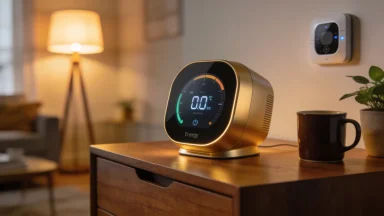
- Energy monitor: shows real-time use so you spot costly appliances fast.
- Smart plugs and power strips: cut standby power from TVs, chargers, and small appliances.
- LED smart bulbs: use up to 75% less energy than incandescent bulbs and can be scheduled.
Costs vary. A smart thermostat can cost $120–$250, while an energy monitor runs $60–$200. Smart plugs are $10–$30 each and smart bulbs $5–$20. Match price to expected savings for your household.
Small devices add up. Replacing old bulbs and trimming phantom loads often offers a fast return. Use an energy monitor to find the biggest drains before buying many gadgets.
How to estimate savings and payback
Start with a quick baseline: check a month of bills or use a monitor for a week to see device-level use. This gives a clear starting point.
- Measure current monthly kWh or cost for the target device or system.
- Apply expected savings (use conservative 5–12% range for HVAC, higher for LEDs).
- Calculate annual dollar savings and divide device cost by that number to find payback months.
Example: a $180 thermostat that saves $120 per year pays back in 15 months. A $10 smart plug that saves $10 yearly breaks even in about a year if it cuts phantom load consistently.
Choose devices that match your home and habits. Renters may start with smart plugs and bulbs. Homeowners who control HVAC can benefit most from a smart thermostat plus an energy monitor for insight.
Smart Home Gadget Guide tip: prefer gadgets with clear apps, good reviews, and easy returns so you can test savings without risk. That way your purchases are smart for comfort and your wallet.
Integration, privacy and simple setup tips for your home
Smart Home Gadget Guide: Devices That Improve Security, Comfort, and Energy Efficiency shows how to link devices without stress and keep your data safe. This section gives clear steps for smooth integration and simple setup.
Use these tips to connect gadgets, secure your network, and keep maintenance easy over time.
Make devices play nice together
Start by checking compatibility. Look at protocols like Wi‑Fi, Zigbee, Z‑Wave, and Matter so devices can talk to the same hub.
- Pick a primary hub or app that supports most of your devices.
- Favor standards (Matter, Zigbee) to avoid vendor lock‑in.
- Verify voice assistant support if you use voice control.
- Keep a list of model numbers and firmware versions for quick troubleshooting.
Place devices logically by room and group them in the app. Name devices clearly so automations trigger the right gadget. Simple names cut down confusion when sharing control with family.
Secure your network and accounts
Your router is the gatekeeper. Use a strong Wi‑Fi password and enable WPA3 if available. Create a guest network for visitors and less-trusted devices.
- Use separate SSIDs: one for core devices, one for guests.
- Enable automatic router updates and consider a mesh system for consistent coverage.
- Change default admin passwords and turn off unused services like UPnP if not needed.
Activate two-factor authentication on accounts that control devices. If a device supports local control, prefer it over cloud-only access. That lowers risk if an online service fails or is breached.
Protect privacy by default
Review privacy settings during setup. Many gadgets ask for broad permissions by default; tighten them to what you actually need.
- Limit cloud uploads; choose local storage when offered.
- Disable voice recordings or set auto-delete for them.
- Read the data retention policy and opt out of data sharing if possible.
- Use unique accounts and strong passwords per vendor when feasible.
Rotate review tasks every few months: check camera zones, audit third-party access, and confirm that firmware updates are installing. Small, regular checks prevent big privacy problems later.
Simple setup and upkeep tips
Label devices and keep a short setup note: Wi‑Fi name, password, device account email. This saves time after power outages or when adding new items.
Test automations right after setup. Run a door lock command, trigger a light scene, and verify alerts arrive on your phone. Fix errors while the setup steps are fresh in your mind.
- Keep spare batteries and a basic toolkit for quick fixes.
- Schedule one monthly check: firmware, app logs, and battery levels.
- Keep a backup plan: a local alarm or manual override for critical devices.
When in doubt, start small. Add one device at a time, test how it fits, then expand. That approach keeps the system usable and secure without overwhelming you or your family.
In short, focus on clear integration, solid privacy defaults, and easy maintenance. These steps make a smart home that feels reliable and stays private.
A well-planned smart home boosts security, comfort, and energy savings without adding stress. Start small, pick devices that work together, secure accounts and your Wi‑Fi, and run quick monthly checks. With clear apps and simple routines, small upgrades add real comfort and lower bills.
FAQ – Smart Home Gadget Guide: common questions
Which smart devices most improve home security?
Smart locks, video doorbells, and indoor/outdoor cameras give the biggest security boost when paired with sensors and a reliable alert system.
How can I protect my privacy with smart devices?
Use strong, unique passwords, enable two-factor authentication, limit cloud uploads, review permissions, and keep firmware updated to reduce risks.
Will smart gadgets really save energy and money?
Yes—smart thermostats, smart plugs, and LED bulbs often cut usage; measure baseline consumption to estimate real savings for your home.
How do I ensure devices work together smoothly?
Choose devices that support common standards (Matter, Zigbee, Z-Wave) or pick a primary hub/app, name devices clearly, and add gadgets one at a time for testing.